I was tracking my delivery van through downtown last month when my GPS tracker showed it parked three blocks from where it actually was. Then it jumped to a completely different street, then back. The route history looked like a drunk spider had drawn it.
After pulling up the actual location and comparing it to what the tracker showed, I realized the tracker was off by 150 feet – enough to show my van in the middle of a building instead of on the street. Welcome to the reality of GPS tracking in urban environments.

🚗 No Monthly Fee GPS Trackers ⭐⭐⭐⭐
Let me show you why GPS trackers struggle in cities and how to get better accuracy.
Understanding GPS Accuracy in Cities
City environments create unique challenges for GPS technology.
How GPS normally works:
- Receiver locks onto 4+ satellites
- Calculates position from satellite signals
- Requires clear view of sky
- Best accuracy: 10-15 feet in open areas
- Relies on direct line-of-sight to satellites
What happens in cities:
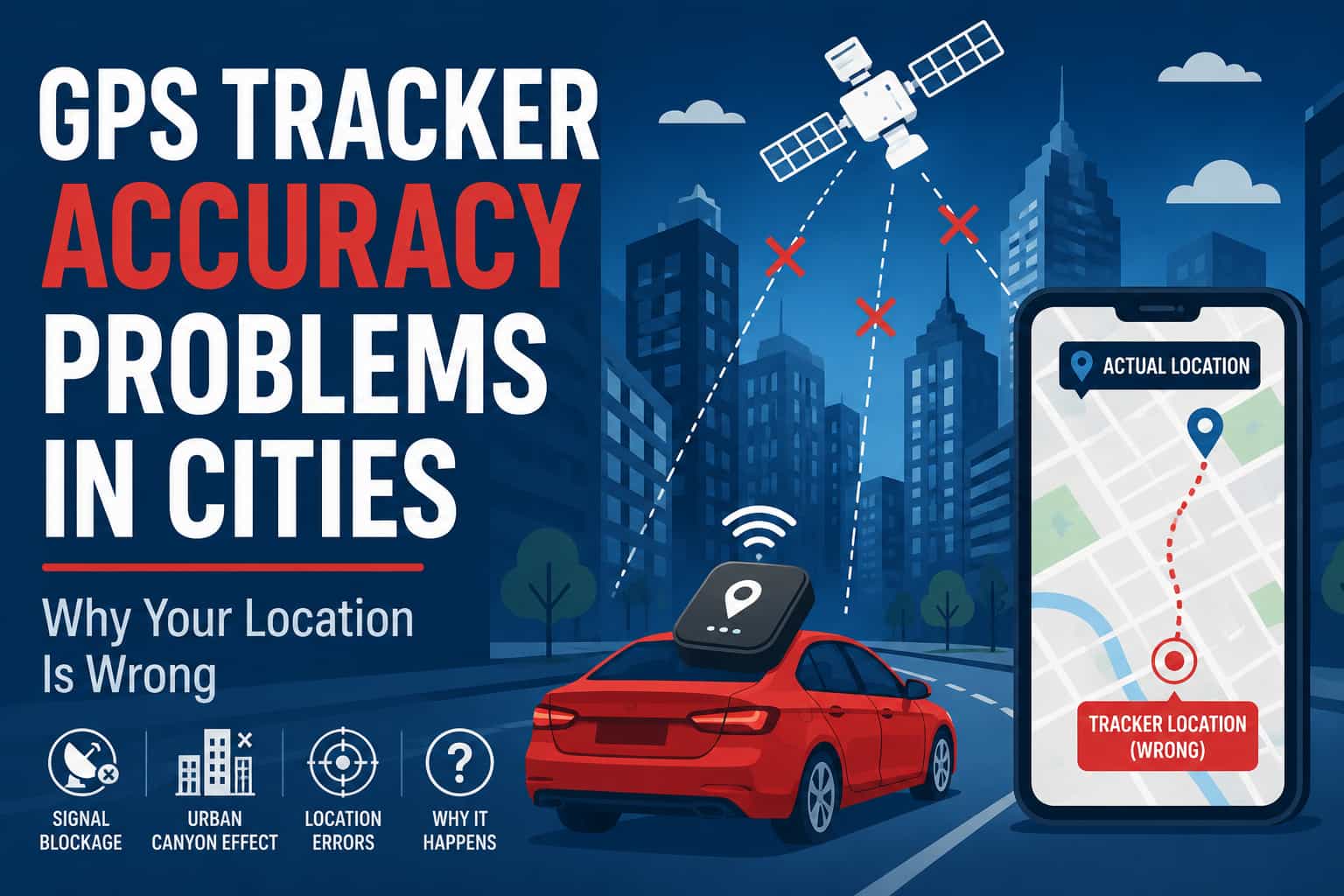
- Tall buildings block satellite signals
- Signals reflect off buildings (multipath)
- GPS receiver confused by reflected signals
- “Urban canyon effect”
- Accuracy degrades to 50-300 feet
- Sometimes complete GPS failure
The multipath problem:
- GPS signal bounces off building
- Receiver gets direct signal + reflected signal
- Can’t tell which is which
- Calculates wrong position
- Buildings essentially create “mirrors” for GPS
- Causes most urban accuracy issues
Other city challenges:
- Heavy tree cover in parks
- Underground parking
- Tunnels
- Dense high-rises
- Metal structures
- Bridge overpasses
Why this matters:
- Business tracking needs accuracy
- Security applications affected
- Fleet management compromised
- Personal tracking unreliable
- Asset recovery harder
The Urban Canyon Effect Explained
This is the primary cause of GPS problems in cities.
What is an urban canyon:
- Streets lined with tall buildings on both sides
- Buildings 10+ stories
- Narrow streets
- Limited sky visibility
- Common in downtown areas
How it affects GPS:
- Blocks satellites low on horizon
- Only satellites directly overhead visible
- Reduces number of satellites from 8-12 to 3-4
- Fewer satellites = lower accuracy
- GPS needs 4 minimum for 3D position
Multipath errors:
- Signals bounce off glass buildings
- Metal cladding reflects strongly
- Receiver gets signal from wrong direction
- Position calculation wrong
- Can be off by entire city blocks
Real-world impact:
- Tracker shows vehicle on parallel street
- Position “jumps” between streets
- Route looks jagged and incorrect
- Speed calculations wrong
- Makes tracker seem broken
Worst areas:
- Financial districts (tall, reflective buildings)
- Between skyscrapers
- Downtown cores
- Narrow streets with high buildings
- Glass-heavy modern architecture
Better areas in cities:
- Wide boulevards
- Parks and open spaces
- Residential areas (shorter buildings)
- Suburbs
- Anywhere with more sky visible
Choose GPS Trackers with Multi-GNSS Support
Using multiple satellite systems dramatically improves urban accuracy.
GPS vs. GNSS:
- GPS = American satellite system (31 satellites)
- GNSS = Global Navigation Satellite Systems (all systems)
- Includes GPS, GLONASS, Galileo, BeiDou
- Total: 100+ satellites available
Benefits of multi-GNSS:
- More satellites visible at any time
- 15-20 satellites instead of 6-8
- Better geometry for position calculation
- Improved accuracy by 2-3x
- Especially helpful in urban canyons
Satellite systems:
GPS (USA):
- 31 satellites
- Original system
- Good coverage
- Standard accuracy: 15-30 feet
GLONASS (Russia):
- 24 satellites
- Better at high latitudes
- Complements GPS well
- Adds 6-8 visible satellites typically
Galileo (Europe):
- 30 satellites (growing)
- More accurate signals
- Better urban performance
- Newest system
BeiDou (China):
- 35 satellites
- Excellent Asia coverage
- Good global coverage
- Strong signal strength
Recommended trackers with multi-GNSS:
LandAirSea 54:
- GPS + GLONASS
- Good urban performance
- $30 + $25/month
- Reliable in cities
Spytec GL300:
- GPS + GLONASS + Galileo
- Excellent multi-GNSS
- Better urban accuracy
- $40 + $25/month
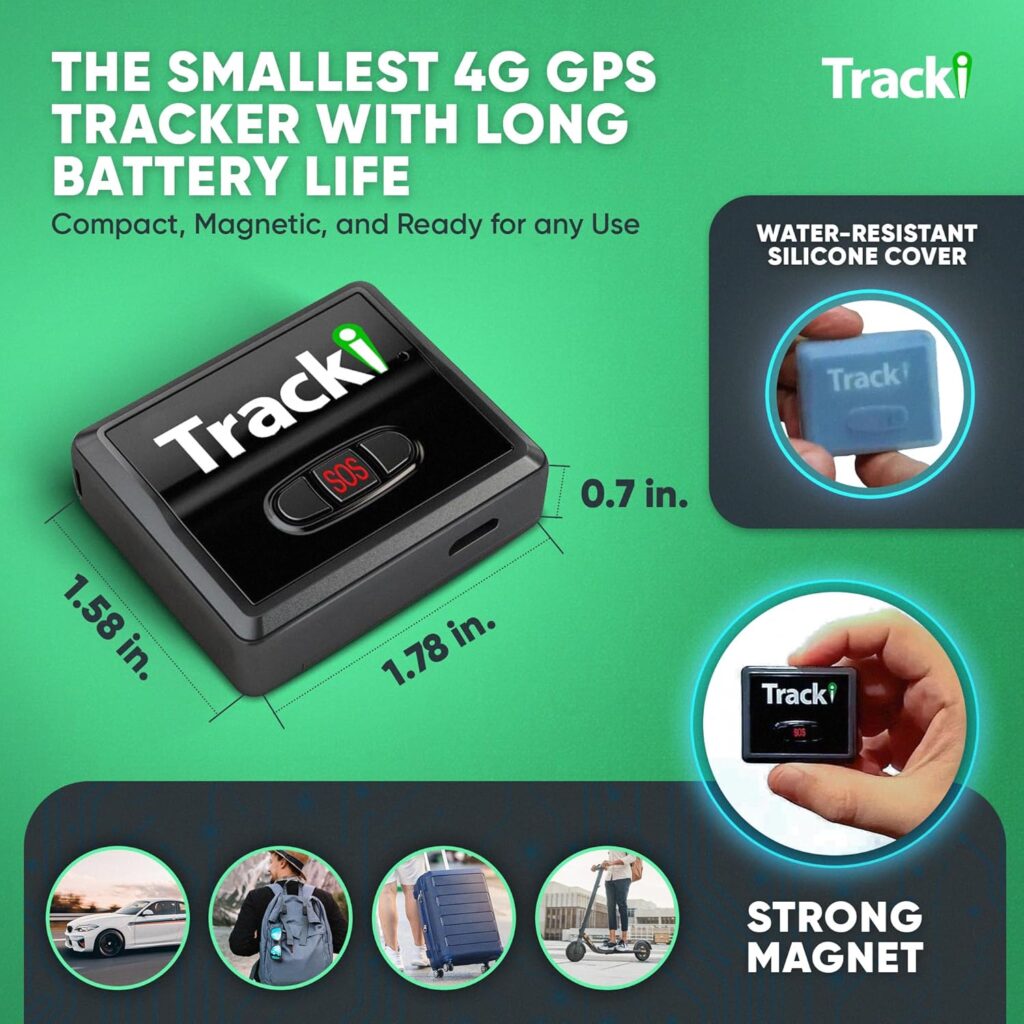
Tracki:
- All four systems
- GPS + GLONASS + Galileo + BeiDou
- Best satellite coverage
- $30 + $20/month
Budget trackers to avoid:
- GPS-only devices
- Struggle significantly in cities
- Worth paying for multi-GNSS
- Accuracy difference dramatic
My testing results:
- GPS-only tracker: 100-200 feet accuracy downtown
- GPS+GLONASS: 40-80 feet accuracy
- GPS+GLONASS+Galileo: 20-50 feet accuracy
- Multi-GNSS essential for cities
Enable Assisted GPS (A-GPS)
A-GPS uses cellular towers to improve GPS performance.
How A-GPS works:
- Uses cellular towers to assist GPS
- Provides approximate location instantly
- Speeds up satellite acquisition
- Reduces time to first fix from 2 minutes to 10 seconds
- Helps maintain lock in difficult areas
A-GPS benefits in cities:
- Faster position fixes
- Better performance when GPS signal weak
- Cellular triangulation as backup
- Smoother tracking in urban canyons
- Reduces “lost signal” gaps
Check if your tracker has A-GPS:
- Most modern GPS trackers include it
- Look for “A-GPS” or “Assisted GPS” in specs
- May be called “QuickGPS”
- Premium feature on some trackers
Enable A-GPS:
- Usually enabled by default
- Check tracker settings in app
- Look for GPS assistance settings
- Enable if available
- Improves urban performance 20-30%
Cellular-assisted positioning:
- When GPS completely fails (tunnels)
- Tracker uses cell towers only
- Accuracy: 50-300 feet
- Better than nothing
- Automatic fallback
Set Faster Update Intervals
More frequent updates create smoother, more accurate tracking.
Update interval explained:
- How often tracker reports position
- Common intervals: 10 sec, 30 sec, 1 min, 5 min
- Faster = more accurate route
- Slower = cheaper data/longer battery
Why faster helps in cities:
- Captures position before multipath errors
- GPS lock more stable with frequent updates
- Smooths out erratic jumps
- Better route representation
- Identifies accuracy issues faster
Recommended intervals for cities:
Urban delivery/fleet:
- 10-30 second updates
- Captures turns accurately
- Shows actual route taken
- Essential for business
- Higher cost but worth it
Personal vehicle tracking:
- 30-60 second updates
- Good balance
- Adequate accuracy
- Reasonable cost
- Most common setting
Asset tracking (stationary):
- 5-minute updates or motion-based
- Conserves battery
- Adequate if not moving frequently
- Cheaper
Configure your tracker:
- Log into tracker app/website
- Find “Update Interval” or “Reporting Frequency”
- Set to fastest your budget allows
- 30 seconds recommended minimum for cities
- Test and adjust
Trade-offs:
- Faster updates = higher data costs
- More battery drain
- More cellular data usage
- But significantly better urban accuracy
- Usually worth the extra cost
Use Trackers with Good Antenna Design
Antenna quality dramatically affects urban performance.
Why antennas matter:
- Determines GPS signal reception
- Better antenna = more satellites locked
- Handles weak signals better
- Reduces multipath errors
- Critical in cities
Internal vs. external antennas:
Internal antennas:
- Built into device
- Convenient, no wires
- Performance varies widely
- Check reviews for urban use
- Most modern trackers use internal
External antennas:
- Separate antenna with cable
- Can be positioned optimally
- Better reception typically
- More complex installation
- Professional trackers often have option
Antenna placement matters:
- Clear view of sky essential
- Under dashboard = poor
- On dashboard = better
- Roof-mounted = best
- Metal blocks signals
Best practices for vehicle installation:
Windshield area:
- Upper corner of windshield
- Below rearview mirror
- Clear view of sky through glass
- Away from metal roof
- Good compromise
Dashboard:
- Front edge near windshield
- Not in glove box (terrible)
- Not under mat (blocks signal)
- Visible to sky
- Acceptable performance
Roof mounting (best):
- External magnetic case
- Full sky view
- Maximum satellite visibility
- Best possible accuracy
- Professional installations
Avoid these locations:
- Under metal hood
- Inside metal toolbox
- Trunk (blocked by metal)
- Glove compartment
- Deep under seats
Testing placement:
- Check tracker app for satellite count
- Good: 8-12 satellites
- Marginal: 4-7 satellites
- Poor: 3 or fewer satellites
- Move tracker if poor reception
Enable Motion-Based Tracking
Smart tracking modes improve city accuracy.
Motion-based tracking explained:
- Tracker detects movement
- Updates more frequently when moving
- Less frequent when stationary
- Saves battery and data
- Better for urban use
How it helps in cities:
- Frequent updates during driving (when accuracy issues occur)
- Infrequent updates when parked (saves resources)
- Captures actual route
- Ignores GPS drift when stationary
- More efficient
Configure motion sensing:
- Tracker app settings
- Look for “Smart Tracking” or “Motion Mode”
- Set moving update: 10-30 seconds
- Set stationary update: 5-30 minutes
- Adjust based on needs
Geofencing for cities:
- Create geofence around parking area
- Get alert when vehicle leaves
- More accurate than continuous tracking
- Reduces false alerts from GPS drift
- Useful for urban parking
Adaptive tracking:
- Some premium trackers learn patterns
- Increase updates in problem areas automatically
- Reduce updates in good GPS areas
- AI-optimized tracking
- Future of urban tracking
Use Post-Processing and Map Matching
Software can correct GPS errors after the fact.
What is map matching:
- GPS positions “snapped” to actual roads
- Corrects for GPS drift
- Shows vehicle on street, not in building
- Most fleet software includes this
- Dramatically improves displayed accuracy
How map matching works:
- Tracker reports: “Vehicle at 40.7589° N, 73.9851° W”
- GPS shows position in middle of building
- Map matching: “Vehicle on Lexington Avenue”
- Snaps to nearest road
- Makes sense of data
Benefits:
- Routes look correct
- Eliminates impossible positions
- Shows actual streets traveled
- Professional appearance
- Clients see accurate data
Limitations:
- Doesn’t improve real-time accuracy
- Historical correction only
- May guess wrong street if very inaccurate
- Depends on good map data
- Not available on all trackers
Tracker platforms with map matching:
Good map matching:
- LandAirSea (excellent)
- Verizon Hum (good)
- Fleet Complete (professional)
- Samsara (commercial)
Poor/no map matching:
- Budget tracker apps
- Basic tracking platforms
- May show raw GPS data
- Routes look messy
Post-processing tips:
- Export GPS data
- Use Google Earth to visualize
- Manually identify correct routes
- Document for records
- Better than raw data
Combine GPS with Cellular Triangulation
Using both systems provides redundancy.
How cellular triangulation works:
- Measures signal from 3+ cell towers
- Calculates position from tower locations
- Less accurate than GPS (50-300 feet)
- Works when GPS fails
- Backup positioning method
When cellular helps:
- Underground parking garages
- Tunnels
- Between very tall buildings
- GPS completely blocked
- Better than no position at all
Hybrid positioning:
- Uses GPS when available
- Falls back to cellular when GPS weak
- Smooth transition
- Continuous tracking
- Modern trackers do this automatically
Wi-Fi positioning (bonus):
- Some trackers also use Wi-Fi
- Detects nearby Wi-Fi networks
- Looks up network locations in database
- Accuracy: 30-100 feet
- Works indoors
Best hybrid trackers:
- Tracki (GPS + Cell + Wi-Fi)
- Apple AirTag (crowd-sourced + Bluetooth)
- Tile (Bluetooth + crowd-sourced)
- Different technologies for different situations
My experience:
- GPS-only: Lost tracking in parking garage
- Hybrid: Showed approximate location via cellular
- Knew general area even without GPS
- Essential for urban tracking
Check Satellite Signal Strength
Monitoring signal quality helps identify problems.
How to check signal:
- Most tracker apps show satellite count
- Look for signal strength indicator
- Green = good, Yellow = marginal, Red = poor
- Number of satellites visible
- Signal-to-noise ratio (SNR)
Good signal indicators:
- 8+ satellites locked
- SNR above 35 dB-Hz
- Consistent lock (not dropping)
- Low HDOP (dilution of precision)
- Position not jumping around
Poor signal indicators:
- 3-4 satellites only
- Frequent loss of lock
- Position jumping blocks
- High HDOP (6+)
- Intermittent updates
Improving signal:
- Reposition tracker
- Move to area with more sky view
- Check antenna not blocked
- Ensure tracker fully charged
- May need different mounting location
Track signal over time:
- Note signal strength at different locations
- Identify problem areas
- Plan routes avoiding worst areas (if possible)
- Understand tracker limitations
- Set realistic expectations
Use Real-Time Differential Corrections
Advanced technique for professional users.
What are differential corrections:
- Ground stations provide GPS error corrections
- Transmitted to GPS receivers
- Improves accuracy to 3-5 feet
- Called DGPS (Differential GPS)
- Professional/commercial use
Correction services:
WAAS (USA):
- Wide Area Augmentation System
- Free service
- Broadcasts corrections from satellites
- Improves accuracy 2-3x
- Most GPS receivers support
- Works automatically if available
EGNOS (Europe):
- European version of WAAS
- Same concept
- Free service
- Automatic if receiver supports
RTK (Real-Time Kinematic):
- Centimeter-level accuracy
- Requires base station
- Very expensive ($5,000+)
- Survey-grade accuracy
- Overkill for most tracking
Check if your tracker supports:
- Look for “WAAS” or “SBAS” in specifications
- Usually enabled by default
- Passive reception (no setup needed)
- Helps in all conditions
- Especially useful in cities
Limitations:
- Can’t fix all multipath errors
- Helps but doesn’t eliminate issues
- Better than nothing
- Not available on budget trackers
Understand Tracker Accuracy Specifications
Manage expectations based on specs.
Manufacturer claims vs. reality:
Claimed accuracy:
- “10 feet accuracy” (under perfect conditions)
- Open field, clear sky
- Stationary
- 12+ satellites
- Rarely achieved in cities
Real urban accuracy:
- 30-100 feet typical
- 100-300 feet in bad areas
- Depends on building density
- Time of day matters
- Weather can affect
GPS accuracy factors:
Excellent (10-20 feet):
- Parks, open areas in city
- Wide streets
- Low buildings
- Clear weather
- Multiple GNSS
Good (20-50 feet):
- Moderate urban density
- Some tall buildings
- Multi-GNSS tracker
- Good antenna placement
- Most residential areas
Fair (50-150 feet):
- Dense downtown
- Tall buildings
- GPS-only tracker
- Poor antenna placement
- Acceptable for many uses
Poor (150-300+ feet):
- Urban canyons
- Between skyscrapers
- Cheap tracker
- Bad placement
- May be unusable
Set realistic expectations:
- City tracking never perfect
- 50-foot accuracy is actually good
- Don’t expect surveyor-grade precision
- Focus on trends, not exact position
- Route history more important than individual points
Choose the Right Tracker for Urban Use
Not all GPS trackers perform equally in cities.
Best for urban environments:
LandAirSea 54:
- GPS + GLONASS
- Good urban performance
- Magnetic case (easy placement)
- Rechargeable
- $30 + $25/month
- Reliable city tracker
Spytec GL300:
- GPS + GLONASS + Galileo
- Excellent multi-GNSS
- Compact
- Good battery life
- $40 + $25/month
- Top urban choice
Tracki:
- 4-GNSS (GPS/GLONASS/Galileo/BeiDou)
- Cellular + Wi-Fi positioning
- Best coverage
- Global tracking
- $30 + $20/month
- Maximum redundancy
Bouncie:
- OBD-II plugin
- Good urban accuracy
- Real-time tracking
- Trip history
- $70 + $8/month
- Convenient
Avoid for cities:
- Budget GPS-only trackers
- Trackers with poor reviews mentioning accuracy
- Very cheap options ($10-20)
- No-name brands
- Older technology
What to look for:
- Multi-GNSS support (essential)
- Good reviews for urban use
- A-GPS capability
- Frequent update options
- Map matching in software
- Known brand
Test in Your Specific City
Every city is different – test before committing.
Before buying:
- Read reviews from users in your city
- Check if retailer has return policy
- Buy one tracker to test first
- Don’t buy 10 without testing
- Save money on bad choices
Testing procedure:
Test route:
- Drive through downtown
- Include urban canyon streets
- Include open areas
- Park in parking garage
- Record results
Compare to reality:
- Use phone GPS as reference (usually more accurate)
- Google Maps shows true position
- Compare tracker to reality
- Measure accuracy at various locations
- Note problem areas
Different times of day:
- Morning rush hour
- Midday
- Evening
- Satellite positions change
- Accuracy varies by time
Document results:
- Screenshots of inaccurate positions
- Note street locations
- Measure error distances
- Keep for future reference
- Compare different trackers
Return if inadequate:
- Most retailers allow 30-day returns
- Test thoroughly in first week
- Return if doesn’t meet needs
- Try different model
- Don’t settle for poor accuracy
Software Solutions and Workarounds
Technology can compensate for GPS limitations.
Historical route analysis:
- Look at full day’s route, not individual points
- Patterns emerge
- Obvious errors apparent
- Can manually correct
- Better than real-time
Geofencing:
- Define zones (home, work, customer sites)
- Entry/exit notifications
- More reliable than continuous tracking
- Less affected by GPS errors
- Set larger zones in city areas (100-foot radius minimum)
Speed filtering:
- Ignore positions showing impossible speeds
- Vehicle can’t go 0 to 60 mph instantly
- Software removes obviously wrong points
- Smooths route display
- Built into good tracking platforms
Stationary mode:
- Don’t update position when vehicle stationary
- Prevents “GPS drift” showing movement when parked
- Saves battery
- Cleaner data
- Enable in tracker settings
Custom reporting:
- Generate reports showing stops only
- Ignore positions while driving (less accurate)
- Focus on where vehicle was, not exact route
- Adequate for many business uses
- Reduces accuracy concerns
When City GPS Tracking Isn’t Enough
Sometimes GPS alone can’t meet your needs.
Consider alternatives:
Bluetooth beacons:
- For indoor tracking
- Works in parking garages
- Requires beacon infrastructure
- Expensive but accurate indoors
- Professional installations
RFID checkpoints:
- Vehicle checks in at gates
- Positive confirmation of location
- Independent of GPS
- Common in fleets
- Supplement to GPS
Driver check-ins:
- Manual confirmation via app
- “Arrived at customer site”
- Human verification
- Supplements GPS data
- Reduces disputes
Camera systems:
- Dashcams with GPS
- Visual verification of location
- Can review if GPS seems wrong
- Provides context
- Professional fleets
Hybrid approach:
- GPS for general tracking
- Other methods for critical locations
- Multiple verification methods
- Redundancy increases accuracy
- Best for high-value assets
Real-World Accuracy Expectations
Based on extensive testing in major cities.
My testing results (downtown areas):
Open streets (wide boulevards):
- Multi-GNSS tracker: 15-30 feet
- GPS-only tracker: 30-60 feet
- Acceptable accuracy
- Routes look correct
Moderate urban density:
- Multi-GNSS: 30-80 feet
- GPS-only: 60-150 feet
- Usable for most purposes
- Occasional wrong street
Urban canyons (between skyscrapers):
- Multi-GNSS: 50-200 feet
- GPS-only: 100-300+ feet
- Often shows wrong street
- Route history messy
- Challenging
Parking garages (underground):
- All trackers: No GPS signal
- Cellular triangulation: 100-500 feet
- General area only
- Can’t tell which level
- Limitations must be accepted
Tunnels:
- No GPS
- Last known position shown
- Updates when exits tunnel
- Gap in tracking
- Normal and expected
After tracking vehicles in three different cities for six months, I’ve learned that GPS accuracy in urban areas is highly variable and depends far more on your tracker’s capabilities than the city itself.
My $25 GPS-only tracker was completely useless in downtown Manhattan – showing my van anywhere from one to three blocks from its actual location. Upgrading to a multi-GNSS tracker (GPS + GLONASS + Galileo) for $40 improved accuracy dramatically, usually within 30-50 feet even between tall buildings.
The key lesson: in cities, you absolutely need multi-GNSS support and fast update intervals (30 seconds or less). Also, place the tracker with a clear view of the sky – under the dashboard is death for GPS accuracy. Don’t expect perfection in urban canyons, but with the right equipment and placement, you can get good-enough accuracy for most business purposes.