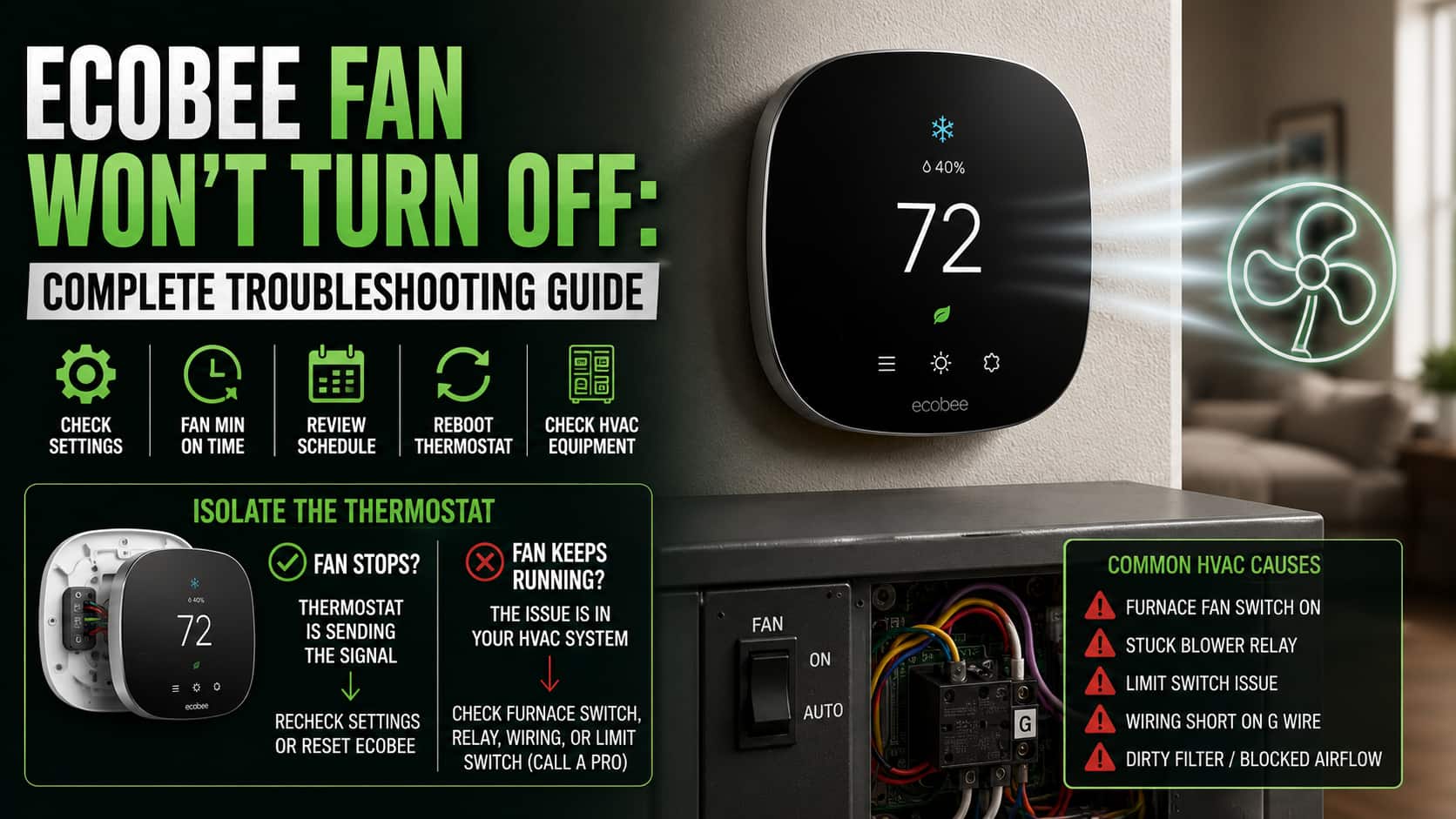
Your heating and cooling have cycled off, but the fan keeps blowing. An Ecobee fan that runs nonstop is usually harmless, but it wastes electricity, dries out the air, and gets loud fast. The cause is almost always one of two things: a setting telling the fan to run, or an HVAC wiring problem keeping it powered. This guide sorts out which one you have and how to fix it.
Work through the steps in order. The early ones take seconds. The later ones tell you whether the problem is the thermostat or the furnace itself.
First, rule out normal behavior
Ecobee runs the fan for a short period after every heating or cooling cycle to push the last of the warm or cool air through your home. This is called fan dissipation, and a minute or two of run time after the system shuts off is completely normal. If the fan stops on its own shortly after a cycle, nothing is wrong. If it never stops, keep reading.
1. Check the fan mode
This is the most common cause by far.
Open the main menu and go to Fan. You will see two options, Auto and On. If it is set to On, the fan runs continuously no matter what your heating and cooling are doing. Switch it to Auto so the fan only runs when the system is actively heating or cooling.
If you set it to Auto and the fan keeps going, move on.
2. Check the minimum fan run time
Ecobee can be told to circulate air for a set number of minutes every hour, even when nothing is heating or cooling. If that number is high, the fan can feel like it never stops.
Go to Menu > Settings > Installation Settings > Thresholds and look for Fan Min On Time or minimum runtime per hour. Set it to 0 if you do not want any forced circulation, or a low number like 5 if you do. Each comfort setting can also carry its own fan rule, so check those too.
3. Clear any fan hold
If you manually started the fan, Ecobee holds that setting until you cancel it.
Look at the home screen for a hold icon or a banner showing the fan is running on a manual hold. Tap it and choose to cancel the hold or resume the schedule. The fan should return to Auto behavior.
4. Review your comfort settings and schedule
Every comfort setting (Home, Away, Sleep, and any custom ones) has its own fan configuration. If one of them is set to On, the fan will run continuously whenever that setting is active, which can look random if you do not realize the schedule changed.
Open each comfort setting and confirm the fan is set to Auto unless you specifically want circulation during that block.
5. Reboot the thermostat
If the settings all look correct but the fan still will not stop, a quick reboot clears software glitches.
Use Menu > Settings > Reset > Restart, or gently pull the thermostat off its wall base, wait 30 seconds, and push it back on. Give it a minute to boot and reconnect, then watch whether the fan behaves.
6. Isolate the thermostat from your HVAC
This is the step that tells you what you are actually dealing with. If a setting were the problem, the steps above would have fixed it. If the fan still runs, you need to find out whether the thermostat is sending the signal or the furnace is stuck.
Pull the Ecobee off its base so it is completely disconnected, and watch the fan:
- If the fan stops, the thermostat was sending a fan signal. Recheck the fan mode, minimum run time, and comfort settings, since one of them is still set to run. A factory reset and reconfiguration can clear a stubborn software state.
- If the fan keeps running with the thermostat removed, the thermostat is innocent. The signal is coming from your HVAC system, and the rest of the fixes are at the furnace.
7. Check the HVAC side
If the fan runs with the thermostat off the wall, the problem is in the equipment.
- Furnace fan switch. Many furnaces have a fan switch set to Auto or On. If someone set it to On, the blower runs constantly. Switch it back to Auto.
- Stuck blower relay. A fan relay on the furnace control board can stick closed, leaving the blower powered. This needs a technician.
- Limit switch. If the furnace overheats, a safety limit switch runs the blower to cool the heat exchanger. A blower that runs hot and constantly can point to a dirty filter, blocked airflow, or a failing limit switch.
- Wiring short. A pinched or shorted G wire between the thermostat base and the furnace can energize the fan on its own.
These are not settings you can fix in the app. If the fan runs with the thermostat removed, leave the equipment work to a qualified HVAC technician.
The short version
Start with fan mode set to Auto, then check the minimum fan run time and your comfort settings, since one of them is almost always the culprit. Clear any manual hold and reboot. If the fan still will not stop, pull the thermostat off its base. A fan that stops means the fix is in your settings. A fan that keeps running points to a furnace switch, relay, or wiring problem that a technician should handle.