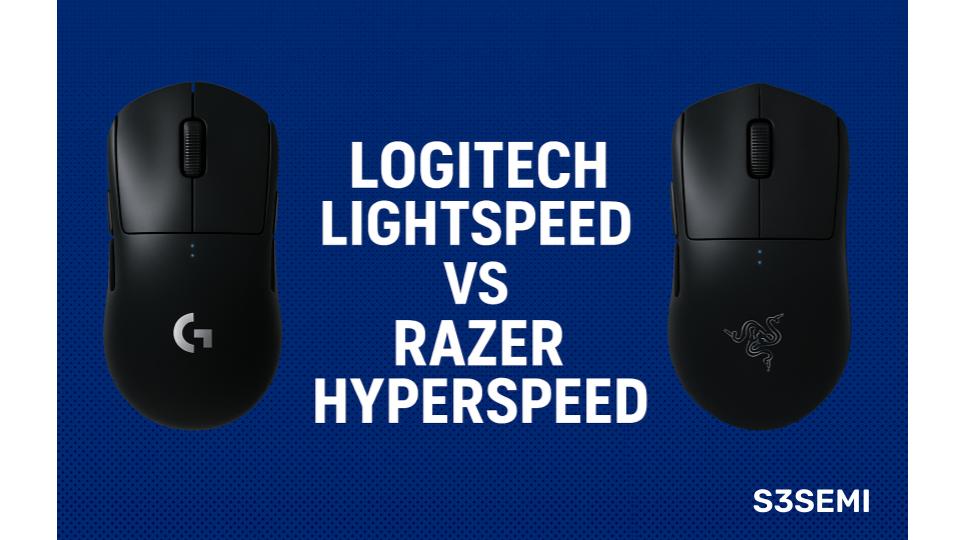
Wireless gaming mice have evolved into serious performance tools, and two technologies lead the pack: Logitech Lightspeed and Razer Hyperspeed.
If you’re deciding which delivers better latency, stability, battery life, and gaming performance, this guide breaks it all down.
Both systems are elite, both are used by esports pros, and both outperform standard Bluetooth by a huge margin. But depending on your setup, one may be the better choice.
🖱️ What Are Lightspeed and Hyperspeed?
Logitech Lightspeed and Razer Hyperspeed are proprietary 2.4 GHz wireless technologies engineered to deliver wired-like latency with the freedom of wireless.
Logitech Lightspeed
- Ultra-optimized 2.4 GHz protocol
- Latency as low as 1 ms
- Used in Logitech G Pro X Superlight, G502 Lightspeed, G915 keyboard
- Known for exceptional reliability and long battery life
Razer Hyperspeed
- Custom low-latency 2.4 GHz algorithm
- Latency as low as <1 ms
- Used in Viper V2 Pro, DeathAdder V3 Pro, Basilisk series
- Prioritizes polling-rate consistency and burst performance
Both are built for esports-level precision, but real-world differences appear based on your playstyle.
Comparison Table
| Feature | Logitech Lightspeed | Razer Hyperspeed |
|---|---|---|
| Wireless Technology | Custom 2.4 GHz low-latency protocol | Hybrid 2.4 GHz + Bluetooth with adaptive frequency |
| Latency Performance | Consistently <1 ms | <1 ms with dynamic hopping |
| Connection Stability | Extremely stable; minimal interference | Excellent; auto-switches frequencies to avoid congestion |
| Range | ~10 meters | ~10 meters |
| Battery Life | Up to 240 hrs (G Pro X Superlight 2 with 2.4 GHz) | Up to 90 hrs (Viper Ultimate 2.4 GHz), 400+ hrs via Bluetooth |
| Mouse Weight (Typical Models) | 60–63 g (Superlight series) | 54–58 g (Viper lineup) |
| Best Use Case | Competitive esports, FPS, ultra-low-latency gaming | Mixed gaming + productivity, crowded RF environments |
| Software | Logitech G HUB | Razer Synapse |
| Device Compatibility | PC, macOS, consoles (varies by device) | PC, macOS, some consoles (varies by model) |
| Unique Features | Extremely power-efficient 2.4 GHz mode | Adaptive frequency hopping, multi-device BT pairing |
| Charger / Dock | Standard USB-C charging | Many models support Razer Charging Dock |
| General Verdict | Best for pure esports latency and weight | Best for connectivity flexibility and battery options |
🔄 Feature Comparison
⏱️ Latency & Responsiveness
Both Lightspeed and Hyperspeed offer sub-1 ms latency and feel nearly identical to wired mice.
Lightspeed strengths
- Extremely consistent response times
- Proven in esports for years
- Very stable even in interference-heavy environments
Hyperspeed strengths
- Better micro-latency consistency
- Improved burst responsiveness
- Supports optional 4,000 Hz and 8,000 Hz polling on select mice
If you want maximum consistency, choose Lightspeed.
If you want peak competitive performance, choose Hyperspeed.
📡 Wireless Stability & Interference Handling
🔵 Lightspeed
- Uses proprietary frequency hopping
- Excellent stability in crowded wireless environments
- Very low packet loss
🟢 Hyperspeed
- Razer claims 25% faster frequency switching
- Adapts faster to noisy 2.4 GHz environments
- Excellent for apartments, offices, and events
Both are reliable, but Hyperspeed is more adaptive, while Lightspeed is more stable.
🔋 Battery Life Comparison
This category gives Lightspeed a clear advantage.
🔵 Lightspeed Battery Life
- Among the best industry-wide
- Many mice last 70–180 hours
- Some reach 300+ hours depending on lighting
- Logitech HERO sensor is extremely efficient
🟢 Hyperspeed Battery Life
- Very good but generally lower
- Most Razer Hyperspeed mice last 70–90 hours
- High polling rates drain battery faster
If battery life matters, Lightspeed wins.
🎯 Sensor Performance
Both companies use world-class optical sensors.
Logitech HERO 25K
- Extremely power-efficient
- Excellent tracking consistency
- Zero smoothing across DPI range
Razer Focus Pro 30K
- Higher DPI ceiling
- Better tracking on glass and smooth surfaces
- Improved motion sync
Razer offers more advanced raw performance, while Logitech offers incredible efficiency.
💻 Software & Customization
🧩 Logitech G HUB
- Simple and intuitive
- Lightweight
- Reliable cloud profiles
- Works extremely well with Lightspeed devices
🧪 Razer Synapse
- More customization
- More RGB and macro control
- Per-game profiles
- Heavier on system resources
Choose G HUB for simplicity, Synapse for deep customization.
🖱️ Recommended Mice Using Each Technology
🔵 Best Logitech Lightspeed Mice
- Logitech G Pro X Superlight
- Logitech G502 Lightspeed
- Logitech G703 Lightspeed
- Logitech G915 TKL
🟢 Best Razer Hyperspeed Mice
- Razer Viper V2 Pro
- Razer DeathAdder V3 Pro
- Razer Basilisk V3 Pro
- Razer BlackWidow V4 Pro Keyboard
These products represent flagship performance for each wireless tech.
🥇 Which Is Better for Gaming?
🎯 Choose Logitech Lightspeed if you want
- Industry-leading battery life
- Extremely stable latency
- Proven tournament reliability
- Lightweight, efficient hardware
- Simpler software
🎯 Choose Razer Hyperspeed if you want
- Higher polling rates (4K/8K)
- More aggressive esports tuning
- Faster frequency switching
- Best-in-class sensors
- More customization
🧩 Final Verdict
Both Lightspeed and Hyperspeed deliver true wired-like gaming performance, but they excel in different ways.
- Lightspeed is the king of stability and battery efficiency.
- Hyperspeed pushes boundaries with sensor performance and ultra-high polling rates.
If you’re an FPS competitor looking for every millisecond of advantage, Razer Hyperspeed may have the slight edge.
If you want a reliable wireless setup that lasts days on a single charge and never drops out, Logitech Lightspeed is the safer choice.