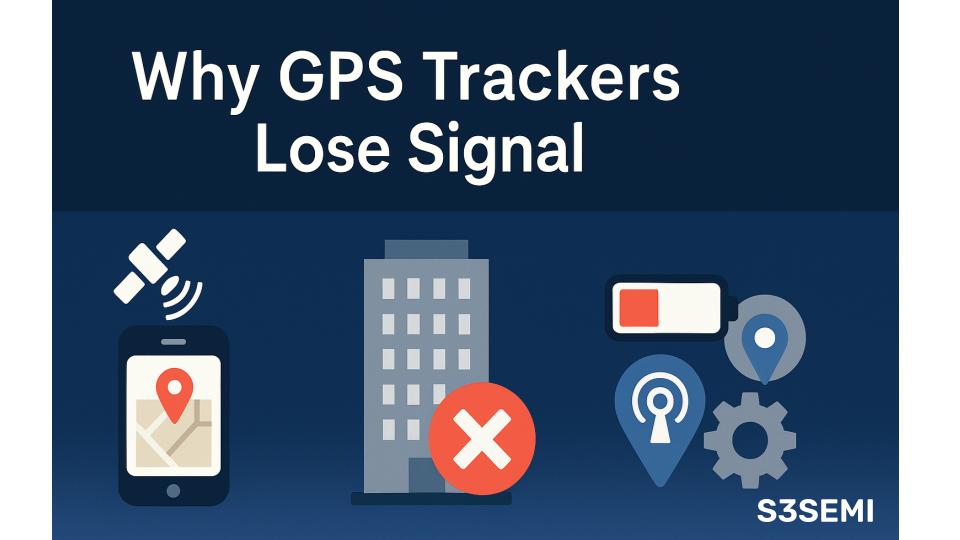
Let me explain exactly why GPS trackers lose signal, how to identify the cause, and what you can do to fix it.
📡 TL;DR – Why GPS Trackers Lose Signal
Most “signal loss” isn’t mysterious: it’s almost always obstruction, power, carrier coverage, or the tracker itself.
Main causes:
• Metal, concrete, underground parking, buildings, dense trees, or water blocking the sky view
• Cellular dead zones – GPS knows the location but can’t upload it
• Dead/low battery, loose OBD/hard-wire connections, blown fuses
• Poor placement inside the vehicle (glove box, trunk, under dash)
• Hardware failures, old firmware, or (rarely) GPS jammers
Quick checks:
• Confirm the tracker has power and a good connection
• Check the last known location (underground? indoors?)
• Move the device to a clearer sky view (dash/rear deck)
• Verify subscription + carrier coverage
• Update firmware and reboot the tracker
Best practices:
• Use a multi-GNSS tracker (GPS + GLONASS/Galileo/BeiDou)
• Choose a carrier that covers your routes
• Mount the tracker where it can “see” the sky
• Accept short gaps in garages, tunnels, and dense urban areas
Bottom line: Most GPS dropouts are explainable and fixable with better placement, power, carrier choice, and a modern multi-GNSS tracker. Use redundant tracking for high-value assets.
Understanding GPS Signal Loss
Before you can fix the problem, you need to understand what’s actually happening.
What “losing signal” really means
- Trackers need signals from 4+ satellites
- If the tracker can’t see enough satellites, it loses GPS lock
- This is different from losing cellular signal
- A tracker can lose one, the other, or both
GPS vs. Cellular: Two separate systems
GPS signal:
Determines location, receives satellite data, requires clear sky.
Cellular signal:
Uploads location to the cloud so your app can see it.
They fail independently:
- GPS works but cellular fails → tracker knows where it is but can’t tell you
- Cellular works but GPS fails → tracker is online but location is missing
- Both fail → tracker appears offline
Types of signal loss
Temporary: Tunnels, garages, indoor areas
Intermittent: Weak coverage areas, dense cities
Complete: Battery dead, device malfunction, severe obstruction
Why GPS is fragile
- Signals travel 12,000 miles from space
- They’re extremely weak when they reach Earth
- Anything blocking the sky can interfere
Physical Obstructions Blocking GPS
The most common reason GPS trackers lose signal is simple: something is in the way.
Metal Barriers
Metal blocks radio waves completely (Faraday cage effect).
Common culprits:
- Parking garages
- Metal buildings
- Shipping containers
- Metal toolboxes
Real example: A tracker inside a metal toolbox gets zero signal. Move it outside and it works instantly.
Concrete and Buildings
Urban canyons:
Skyscrapers block satellites at low angles.
Underground:
Parking garages, tunnels, subways = no GPS.
Indoors:
GPS struggles indoors unless near a window.
Trees and Foliage
- Light foliage reduces accuracy
- Heavy canopy can block signal entirely
- Summer is worse than winter
Water
GPS does not penetrate water.
Examples:
- Below deck on boats
- Flooded areas
- Heavy rain (minor impact, but adds up)
Vehicle Body Blocking the Signal
Tracker placement makes a massive difference.
Bad locations: glove box, trunk, under hood, deep inside dash
Good locations: dashboard, rear deck, near windshield
Satellite count guide:
- 8–12 = strong
- 4–7 = weak
- 0–3 = poor/no fix
Cellular Signal Loss (Different Problem)
Sometimes GPS is working fine – but the tracker can’t upload the data.
Cellular dead zones
- Rural areas
- Valleys and mountains
- Inside buildings
- Underground locations
Carrier differences matter
One carrier may work great in your city, another may have holes.
Example:
AT&T tracker failing in rural areas → switched to Verizon → issue resolved.
International roaming issues
Trackers designed for US networks may lose all connectivity abroad.
Solutions
- Choose trackers with multi-carrier SIMs
- Check carrier maps
- Accept that remote areas have gaps
Battery and Power Issues
GPS or cellular signal loss often isn’t signal – it’s power.
Battery-powered trackers
Dead battery = offline device.
Symptoms:
- No updates
- Last location remains frozen
- Device unresponsive
Prevention:
- Recharge regularly
- Don’t let battery drop below 20%
- Replace aging batteries
Vehicle-powered trackers
Common failures:
- OBD port loose
- Hardwired cable corrosion
- Blown fuse
- Low car battery
Real example:
Tracker stopped updating – turned out the OBD plug vibrated loose.
GPS Tracker Malfunction
Sometimes the device itself is the problem.
Hardware failures
- Broken GPS antenna
- Damaged internals
- Water damage
Firmware/software issues
- GPS disabled
- Corrupted memory
- Firmware bugs
Fixes:
- Update firmware
- Factory reset
- Contact manufacturer
Environmental & Atmospheric Factors
Most are rare but possible.
- Solar storms
- Ionospheric disruptions
- Severe thunderstorms
- Strong local radio interference
These typically cause temporary, system-wide accuracy issues.
Intentional Signal Jamming
Rare but serious.
GPS jammers
Used by criminals to evade tracking.
Signs:
- Sudden total GPS loss
- Cellular still works
- Happens in a specific location
- Affects multiple devices
Illegal in most countries; report suspected jamming.
Multi-GNSS and Signal Improvement
Modern trackers use multiple satellite systems:
- GPS (US)
- GLONASS (Russia)
- Galileo (EU)
- BeiDou (China)
More satellites = fewer dropouts.
Real-world results:
GPS-only trackers lose signal frequently in cities. Multi-GNSS trackers rarely do.
Recommendation:
Always choose multi-GNSS.
Troubleshooting Signal Loss
A simple, effective process:
- Check power
- Verify subscription/app
- Review last known location
- Wait 30–60 minutes
- Check satellite count
- Check cellular coverage
- Power cycle tracker
- Reposition device
- Update firmware
- Contact support
Preventing GPS Signal Loss
Best practices
- Mount tracker with a clear sky view
- Choose a multi-GNSS device
- Select the right cellular carrier
- Maintain and update device regularly
- Use backup trackers for important assets
Environmental expectations
Understand where GPS never works:
- Underground parking
- Tunnels
- Inside large buildings
These are normal limitations.
Real-World Signal Loss Scenarios
Parking garage dropouts
Normal behavior – GPS can’t work underground.
Fleet vehicle losing signal
Tracker was inside a metal toolbox. Moving it fixed everything.
Rural delivery problems
Carrier coverage gaps – not GPS.
Sudden permanent failure
Hardware died → replaced under warranty.
Data not updating
Subscription lapsed → service suspended.
Intentional jamming
Employee using GPS jammer → serious incident.
Advanced Solutions
For heavy-duty or mission-critical use:
- External antennas
- GPS + cellular + Wi-Fi hybrid positioning
- Satellite communication devices (Iridium/Globalstar)
- Multiple trackers with redundancy
- LoJack or RF-based systems
The Bottom Line
Key takeaways
- Most signal loss is temporary and normal.
- Power issues cause the majority of failures.
- Placement matters more than most people realize.
- Multi-GNSS trackers dramatically reduce problems.
- Distinguish GPS loss from cellular loss.
- Contact support for persistent or unexplained issues.
Final advice
GPS isn’t magic. It can’t work everywhere.
Brief gaps are normal, especially in garages, tunnels, and cities.
For reliable tracking:
- Use a multi-GNSS tracker
- Place it with a clear sky view
- Pick the right cellular carrier
- Maintain the device
- Use redundancy for high-value assets
Do these things, and your tracker will work 95%+ of the time – more than enough for most real-world uses.