You’ve been using an eSIM for months, enjoying the convenience of digital cellular service without a physical card. But now circumstances have changed. Maybe you’re switching to an older phone that doesn’t support eSIM, planning to use a device that only accepts physical SIMs, or simply prefer the tangibility of a physical card you can remove and swap between devices.
Converting from eSIM back to physical SIM is absolutely possible, though the process differs significantly from the seamless eSIM-to-eSIM transfers you might be accustomed to.
Why Convert Back to Physical SIM
Several practical reasons drive the decision to move from eSIM back to physical SIM. Device compatibility tops the list. If you’re downgrading to an older phone, buying a budget device that lacks eSIM support, or temporarily using a backup phone without eSIM capability, you’ll need a physical SIM to maintain service.
Some people find physical SIMs more versatile for their usage patterns. If you frequently switch phones for testing, work with multiple devices, or lend your SIM to family members occasionally, a physical card offers flexibility that eSIM profiles lack. You can pop the card out and into another phone in seconds without contacting your carrier or navigating digital transfer processes.
International travel sometimes favors physical SIMs. While travel eSIMs are popular, many international carriers still primarily offer physical SIM cards at airports and local shops. If you prefer buying SIMs in-country rather than pre-purchasing eSIMs online, having a phone with an available physical SIM slot makes sense.
Technical problems with eSIM functionality occasionally necessitate conversion. If your device’s eSIM feature malfunctions, experiences persistent activation failures, or conflicts with your carrier’s systems, switching to physical SIM provides a reliable alternative while avoiding device replacement.
Understanding the Conversion Process
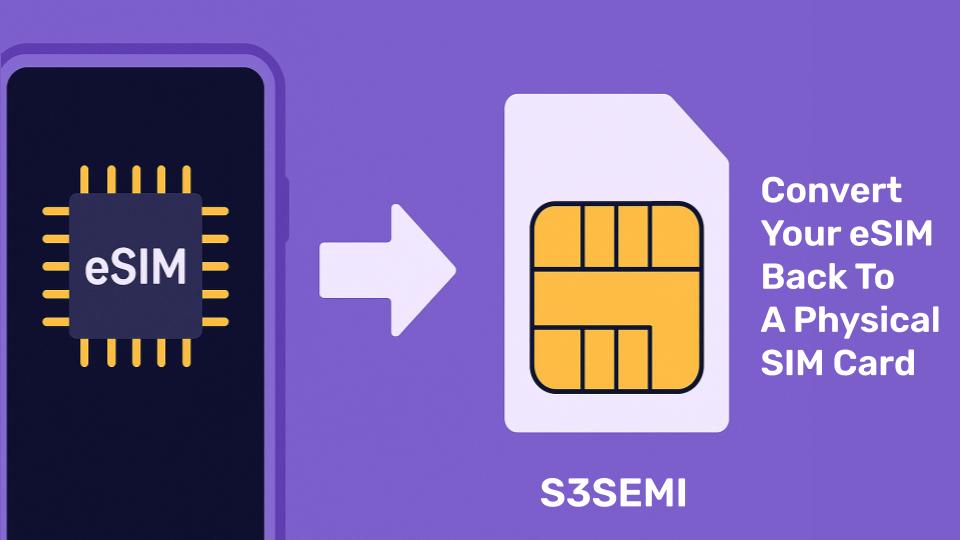
Converting eSIM to physical SIM isn’t a transfer in the technical sense. You can’t extract your eSIM and somehow materialize it into a physical card. Instead, the process involves requesting a new physical SIM card from your carrier, activating that physical SIM with your existing phone number and service plan, and deactivating your eSIM profile.
Your phone number, account, and service plan remain unchanged throughout this process. You’re not canceling service or changing carriers, just changing the method your device uses to connect to the network. Think of it like changing the key to your house without changing the house itself.
The conversion requires carrier involvement. Unlike some eSIM-to-eSIM transfers that happen automatically through device features, moving to physical SIM always requires your carrier to provision a new physical SIM card and associate it with your account.
Getting a Physical SIM Card
Your first step is obtaining a physical SIM card. Contact your carrier through their app, website, customer support phone line, or by visiting a retail store. Tell them you want to convert your eSIM to a physical SIM card.
Most major carriers provide physical SIM cards in several ways. They can mail you a card, which takes a few days but is often free. You can visit a carrier retail store and receive a card immediately, though you’ll need to wait while a representative activates it. Some carriers offer physical SIM cards at third-party retailers like Target, Best Buy, or convenience stores.
When requesting your SIM card, specify that you want to transfer your existing service to the new card, not activate a new line. Provide your account information and the phone number currently associated with your eSIM. The carrier needs this information to properly link the physical SIM to your existing account rather than creating a new line.
Carrier-Specific Conversion Processes
Each major carrier handles eSIM-to-physical-SIM conversions slightly differently.
Verizon allows you to request a physical SIM through the My Verizon app or website. Navigate to your devices, select the line with eSIM, and look for options to change your SIM type. You can have a physical SIM mailed free or pick one up at a Verizon store. Store visits allow immediate activation. Online orders ship within 2-3 business days and include activation instructions.
T-Mobile customers can visit any T-Mobile store for a free SIM card and immediate activation. Alternatively, call T-Mobile customer service at 611 from your T-Mobile phone. Representatives can mail you a SIM card or guide you to nearby locations where SIM cards are available. The T-Mobile app also allows requesting SIM cards through customer support chat.
AT&T provides physical SIM cards at AT&T retail stores, authorized retailers, and through customer service. Visit a store for immediate service or call to have a card mailed. AT&T charges a small SIM card fee in some situations, though they often waive it if you explain you’re converting from eSIM rather than activating new service.
MVNOs (Mobile Virtual Network Operators) like Mint Mobile, Visible, and Cricket have varying policies. Some mail SIM cards for free upon request, while others require purchasing a SIM card kit. Check your specific carrier’s website or contact their support for details on their conversion process.
International Carriers
If you use an international carrier, conversion processes vary widely by country and provider. Many European and Asian carriers provide SIM cards at retail locations, making in-person conversion straightforward. Call your carrier’s support line or visit their local shops to request a physical SIM.
Some international carriers charge fees for physical SIM cards where they previously didn’t, as they push customers toward eSIM adoption. Ask about any fees before proceeding with your conversion request.
Activating Your Physical SIM
Once you have your physical SIM card, activation transfers your service from eSIM to the physical card. Follow these steps:
- Ensure your eSIM is still active and working before beginning
- Power off your phone completely
- Locate your phone’s SIM tray on the side of the device
- Use the SIM ejection tool (or a straightened paperclip) to pop open the tray
- Place the physical SIM card in the tray, ensuring correct orientation
- Carefully slide the tray back into the phone until it clicks
- Power your phone back on
- Wait 5-15 minutes for automatic activation
For automatic activation, your phone will detect the new physical SIM and communicate with your carrier’s servers. You’ll see your carrier name appear in the status bar and signal bars populate.
Some carriers require manual activation. If you received activation instructions with your SIM card:
- Visit the activation website or call the number provided
- Enter your SIM card number (printed on the card or packaging)
- Provide your phone number and account PIN or password
- Follow the prompts to complete activation
- Wait for confirmation that activation is complete
Deactivating Your eSIM
Once your physical SIM is fully activated and working properly, remove the eSIM profile. First, test the physical SIM thoroughly:
- Make a phone call to verify voice service works
- Send a text message to confirm SMS functionality
- Use mobile data by opening a web browser or app
After confirming everything works, remove the eSIM:
On iPhone:
- Go to Settings > Cellular
- Tap your eSIM plan
- Select “Remove Cellular Plan”
- Confirm the removal
On Android:
- Go to Settings > Network & Internet > Mobile Network
- Select your eSIM profile
- Choose “Delete” or “Remove eSIM”
- Confirm the removal
Removing the eSIM after successful physical SIM activation prevents confusion and potential conflicts between the two SIM profiles.
Dual SIM Considerations
If your phone supports dual SIM (physical SIM plus eSIM), you might wonder whether you need to remove your eSIM profile. If the eSIM was your only line and you’re completely replacing it with a physical SIM, remove the eSIM after activation.
However, if you use dual SIM for two separate phone numbers (work and personal, or domestic and international), converting one eSIM to physical SIM doesn’t require removing other active eSIM profiles. Your phone can run one physical SIM and one eSIM simultaneously without issues, as long as they’re different lines.
Just ensure you’ve correctly designated which SIM handles calls, texts, and data in your phone’s settings. Go to Settings > Cellular (iPhone) or Settings > Network & Internet (Android) and verify the primary line settings match your preferences.
iPhone-Specific Conversion Notes
Recent iPhone models sold in the United States (iPhone 14 and later) are eSIM-only devices without physical SIM card slots. If you own one of these models, you cannot convert to physical SIM because your device lacks the hardware to accept physical cards.
For these eSIM-only iPhones, your options are limited to eSIM-to-eSIM transfers or switching to a different device that supports physical SIM cards. Check your iPhone model carefully before requesting a physical SIM card from your carrier.
iPhone models sold outside the United States and older iPhone models (iPhone 13 and earlier) include physical SIM trays and support both physical SIM and eSIM, allowing conversion in either direction.
Troubleshooting Activation Problems
Sometimes physical SIM activation doesn’t proceed smoothly. If your physical SIM won’t activate after 30 minutes, try these steps:
- Restart your phone with the physical SIM installed
- Power it completely off, wait 30 seconds, then turn it back on
- Remove the SIM card, check the orientation, and reinsert it carefully
- Verify the SIM card is seated properly in the tray
- Contact your carrier to confirm the SIM card number matches their records
- Check your carrier’s website or social media for outage reports
- Wait a few hours if widespread technical difficulties exist
- Call customer support if problems persist beyond several hours
A poorly seated SIM card can’t make proper electrical contact with your phone’s reader, and SIM cards that weren’t properly provisioned for your account will fail activation.
Can You Go Back to eSIM Later?
Converting from eSIM to physical SIM isn’t a permanent decision. You can always convert back to eSIM in the future if your circumstances change or you upgrade to a device where you prefer using eSIM.
The process simply reverses. Contact your carrier for a new eSIM QR code or activation code, install the eSIM profile on your device, activate it, and remove your physical SIM card once the eSIM works. Your phone number and service plan continue unchanged regardless of how many times you switch between eSIM and physical SIM.
Some carriers charge fees for SIM replacements or changes, especially if you make multiple swaps in a short period. Ask about any fees before requesting conversions to avoid surprises on your bill.
Multiple Lines and Family Plans
If you manage multiple lines on a family plan or business account, you can convert individual lines from eSIM to physical SIM independently. Each line can use whichever SIM type works best for that user’s device and preferences.
When converting one line of a multi-line account, clearly specify which phone number you’re converting. Provide the exact line’s phone number to avoid accidentally affecting other lines on your account. Carriers sometimes get confused with multi-line accounts, so being explicitly clear prevents mix-ups.
Travel and International Considerations
If you’re converting to physical SIM because of international travel plans, understand the timing implications. If you’re already traveling and need a physical SIM, you’ll need to wait for your carrier to mail one (which won’t reach you abroad) or visit a local store if your carrier has international locations.
For planned travel, initiate your conversion a week or two before departure to ensure the physical SIM arrives and activates successfully before you leave. Having service issues resolved at home is far easier than troubleshooting from abroad.
Some travelers maintain both eSIM and physical SIM capability, using eSIM for their home carrier and physical SIM slots for local SIMs purchased at destinations. If your phone supports this dual SIM setup, you might not need to convert your home carrier from eSIM, just ensure your physical SIM slot is available for travel SIMs.
Cost Considerations
Most carriers provide physical SIM cards for free or minimal cost, especially when you’re converting existing service rather than activating a new line. However, fees vary by carrier and situation.
Verizon typically provides free SIM cards for existing customers converting from eSIM. T-Mobile charges $10 for SIM cards in some stores but often waives the fee for conversions. AT&T charges around $5-10 for physical SIM cards at retail stores but may waive fees if ordered through customer service.
MVNO carriers have mixed policies. Some include SIM cards free with service, while others charge $5-25 for SIM card kits. Budget carriers sometimes charge SIM card fees where major carriers don’t, as they operate on thinner margins.
Ask about fees before completing your conversion. If a fee seems unreasonable, politely ask if it can be waived since you’re an existing customer simply changing SIM types rather than adding new service.
Business and Enterprise Accounts
Business and enterprise accounts often have different SIM management procedures than consumer accounts. If your eSIM is part of a company-managed mobile plan, you’ll need to work through your company’s IT department or account manager rather than contacting the carrier directly.
Corporate accounts sometimes have negotiated rates for SIM cards, streamlined replacement processes, or specific policies about SIM types. Check with your IT department before initiating any SIM conversions on business lines to ensure you follow proper procedures and don’t inadvertently cause account issues.
Making the Decision
Before converting from eSIM to physical SIM, consider whether it’s truly necessary for your situation. eSIM offers conveniences like quick carrier switching, no physical card to lose or damage, and easy setup without waiting for cards to arrive.
However, physical SIM provides universal device compatibility, easier phone swapping, and the tangible assurance of having a removable card. Weigh these factors against your specific needs and device ecosystem.
If you’re unsure, you might keep both options available. Use eSIM on your primary phone for daily convenience, but have a physical SIM card as backup that you can quickly insert if needed for travel, device switching, or emergencies.
Converting from eSIM back to physical SIM is straightforward with carrier assistance and takes only a few days at most. The process gives you flexibility to use whatever SIM type best serves your current needs while maintaining the option to switch again whenever circumstances change.